
A VidMate MP3 download saves only the sound from a video, so you get a small music file instead of a big video. It's perfect for songs, podcasts, lectures and talks you want to hear on the go. This guide shows how to do it and where to find your music after. Read more about the VidMate app, or get the newest file from our download VidMate page.
Why Save as MP3?
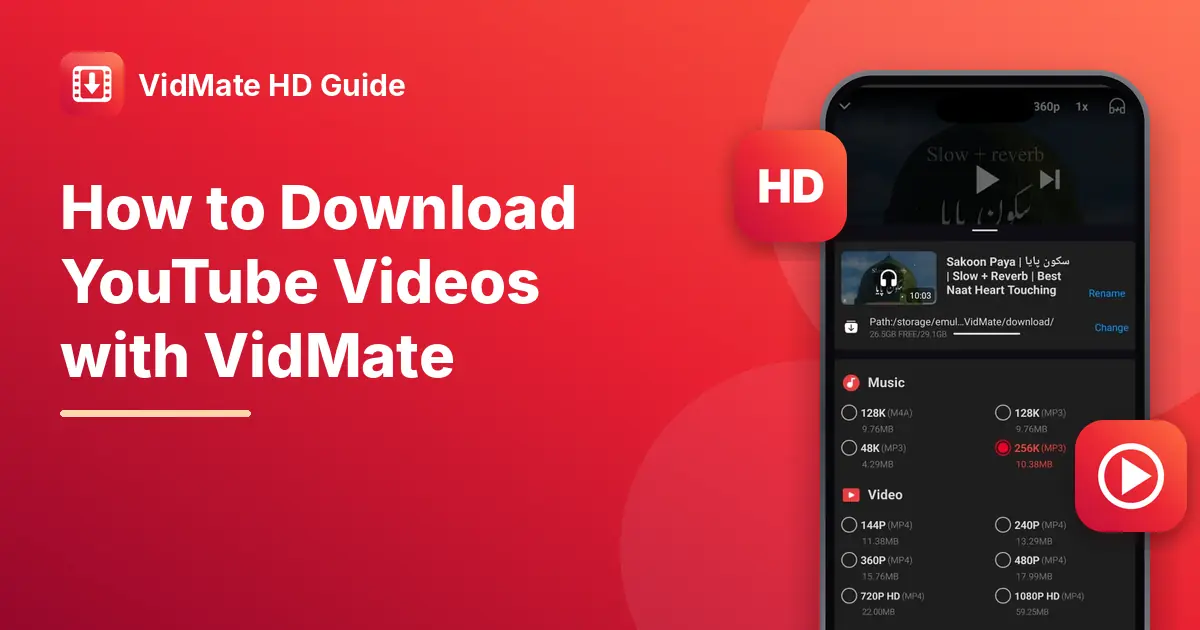
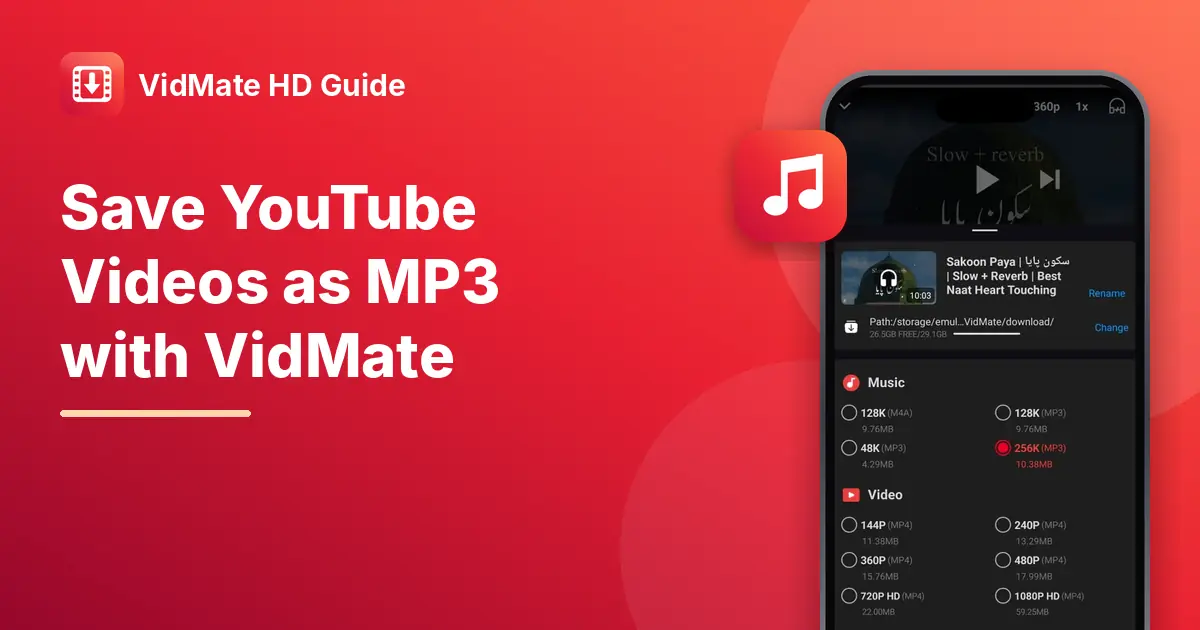
An MP3 is much smaller than a video. In the app, a 10-minute track was 10.38 MB as a 256K MP3, but 59.25 MB as a 1080p video. That means you can keep hundreds of songs on your phone without filling it up. MP3 files also play in almost any music app and keep playing with the screen off.
How to Download MP3 from YouTube
- Open the app and find the video using search, or paste a YouTube link.
- Play the video and tap the red download button.
- In the list, look at the Music section at the top and pick 128K or 256K (MP3).
- Tap Download.
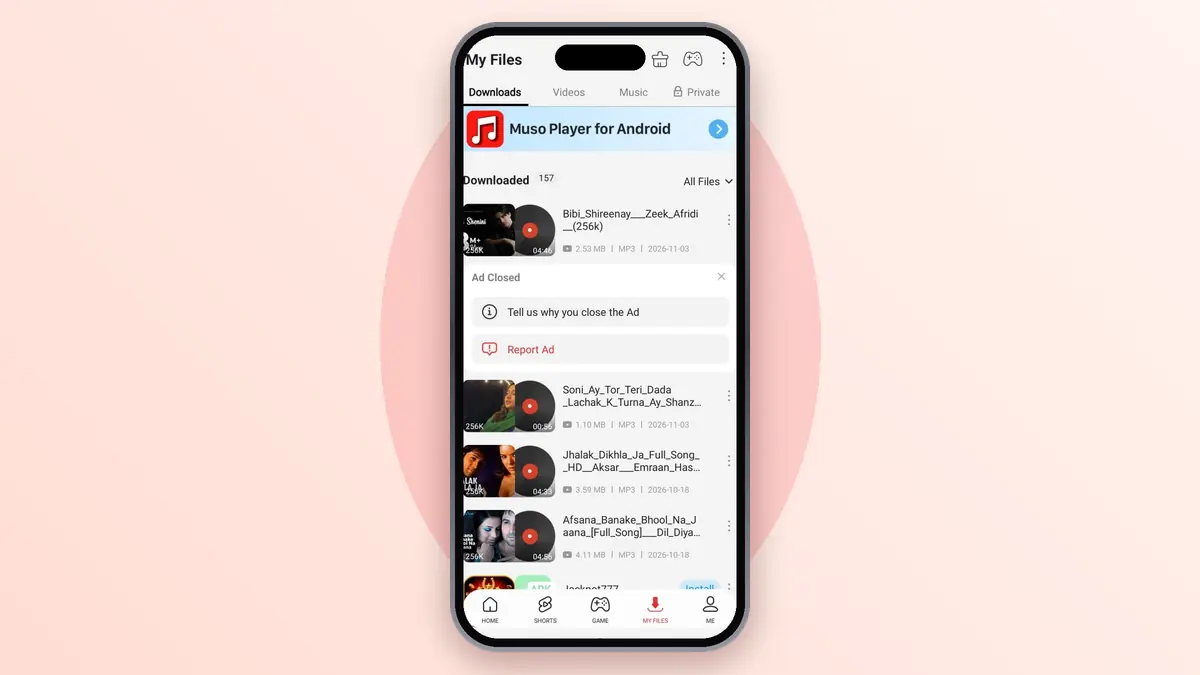
- Open My Files and switch to Music to find your song.
Remember, only save songs and talks you have the right to keep. Most music on YouTube belongs to artists and labels.
Which Audio Quality to Pick
Some videos offer more than one audio option.
| Option | Sound | Size for a 10-minute video |
|---|---|---|
| MP3 48K | Fine for talks and podcasts | 4.29 MB |
| MP3 128K | Good for most music | 9.76 MB |
| M4A 128K | Same as 128K MP3, smaller app support | 9.76 MB |
| MP3 256K | Best for headphones | 10.38 MB |
Find Your MP3 Files
Your saved songs appear in the Music list inside the app. You can play them there, make a playlist, or skip between tracks.
To use them in another app, open your phone's Files app and look in the app's download folder. From there you can move them, share them, or open them with your favourite music player.
Make a Playlist
Inside the music player, tap the menu next to a song and add it to a playlist. Build one for workouts, one for travel, and one for sleep. The app remembers them, so your mixes are ready whenever you open it.
Tips for Better Results
- Pick official uploads. Songs from the artist's own channel usually have the clearest sound.
- Avoid live recordings if you want studio quality, as background noise stays in the MP3.
- Save on Wi-Fi when you're downloading a lot of songs, to protect your data pack.
Frequently Asked Questions (FAQs)
Is the MP3 the same quality as the video?
The sound is close to what you hear in the video. An MP3 can't sound better than the original upload.
Can I download MP3 from Instagram or TikTok too?
Many sites allow MP3, but not all. If you see a Music or MP3 option in the list, you can save the audio.
Where are my MP3 files saved?
In the Music list inside the app and in its download folder on your phone.
Can I set a downloaded MP3 as my ringtone?
Yes. Open your phone's sound settings, choose ringtone, and pick the file from your storage.
Is this site linked to the app makers?
No. We're an independent guide site and don't host any music.